How to Manually Validate Automated People Counts
What if a difference between an automated count and a manual tally reflects inconsistent counting rules, not a faulty system? Learning how to manually validate automated people counts starts with a fair comparison: define what counts as an entry, observe the same doorway and time window, and compare like with like. A quick count at the door may seem straightforward, but observers can interpret movement differently, especially when people cross together or turn back.
A repeatable audit helps you check the numbers without treating a short observation as a replacement for ongoing analytics. This guide explains how to set the scope, tally movements consistently, record relevant conditions and investigate discrepancies. It also shows how to use the findings for operational decisions while keeping manual validation focused on what it does best: testing whether the data is fit to use.
Key Takeaways
- Learn how to manually validate automated people counts by aligning the entrance, direction rules and observation window.
- Follow a repeatable audit sequence: define the scope, synchronise the observation and report, tally, compare and investigate.
- Distinguish a one-off mismatch from a recurring pattern before deciding what evidence to gather next.
- Connect validated counts to operational questions using privacy-first data, masked at the source, with no personally identifiable information collected or stored.
Why manually validate automated people counts?
Manual validation compares observed movements through an entrance with the automated count for the same place and period. It helps determine whether both methods are measuring the same events and whether a difference could relate to traffic conditions, system setup or inconsistent counting rules. It is a check, not proof that either count is automatically correct: an observer can also miss or misclassify movements.
For a meaningful comparison, match the entrance, direction and time window. If you count everyone crossing in and out while the automated report records entries only, the totals answer different questions. Crowd counting methods and challenges also highlights how counting approaches and crowd movement affect results. Define the measure before drawing conclusions from a mismatch.
Set a fair comparison before observing traffic
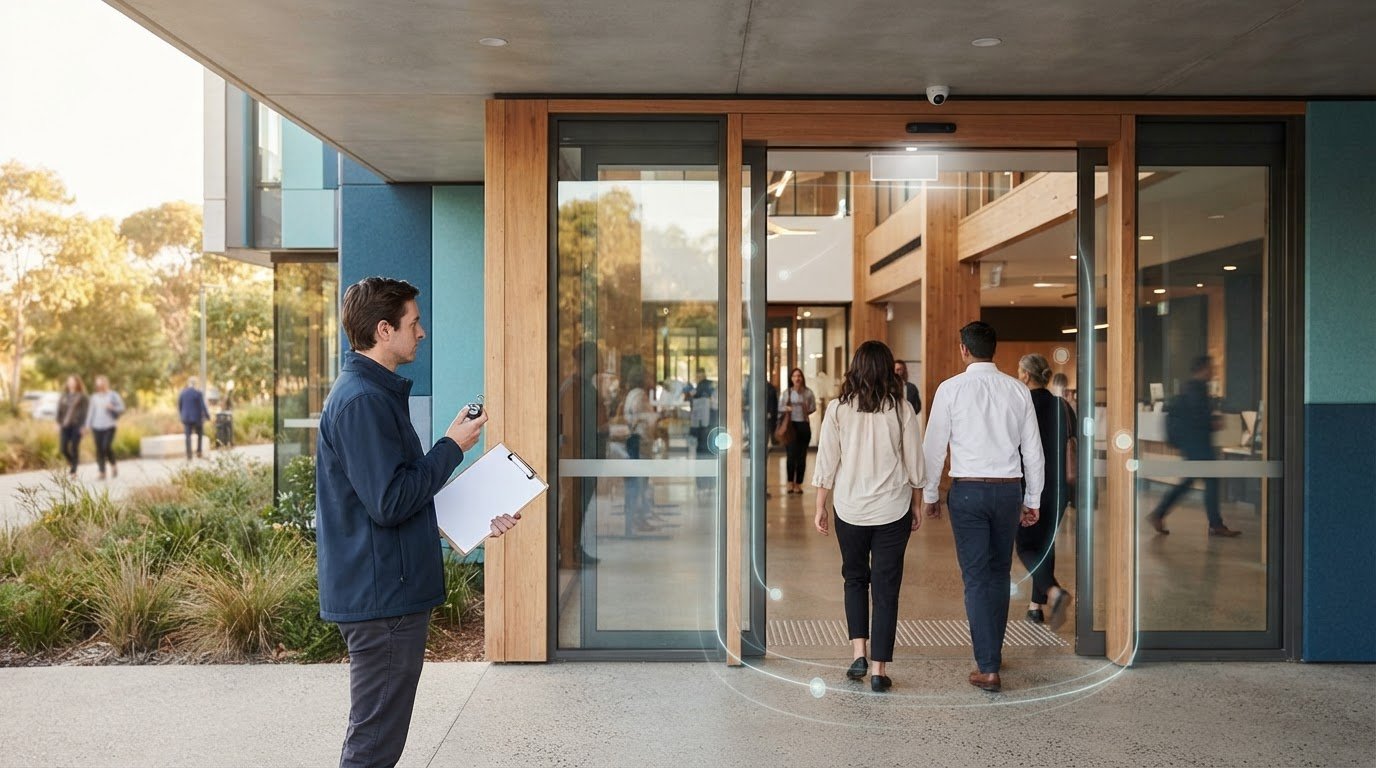
Before you start, write down the entrance boundary, observation period and direction being counted. Agree on whether the measure includes each crossing or only a qualifying entry, and how you will treat staff movements, re-entry and people who turn back. Apply the same rules throughout the manual tally and when reviewing the automated output.
- Match the scope: Compare the same entrance and reporting interval, with aligned start and end times.
- Define the event: Decide what counts as an entry and apply the rule consistently to repeat crossings and staff.
- Keep records aggregate: Note tally totals and relevant conditions, not names, descriptions or other identifiable visitor details.
A simple tally sheet can make the method easier to repeat. Record the date, entrance, start and end times, direction, manual total and any conditions that might affect the count. These details give you a clear basis for investigating a difference instead of treating it as a vague accuracy issue. They also keep the audit focused on movement patterns, not individual visitors. That is the foundation for learning how to manually validate automated people counts consistently and with privacy in mind.
How to manually validate automated people counts step by step
A useful audit follows the same sequence each time, so you can trace a mismatch back to the observation method rather than guess at the cause. Keep the entrance boundaries, direction rules and time window consistent between the manual tally and automated report.
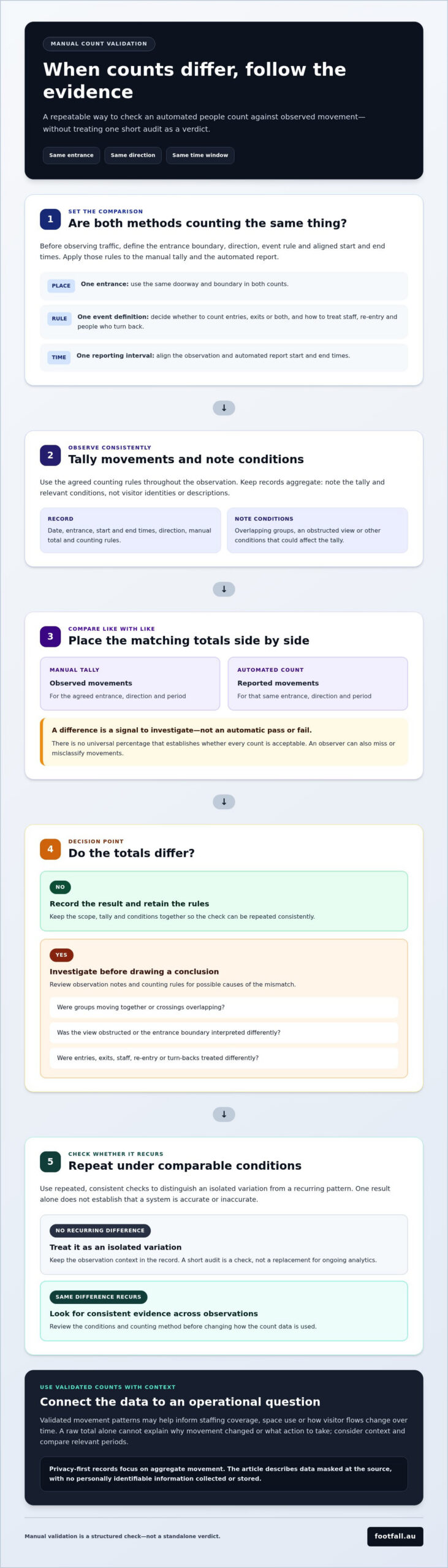
- Define the scope. Select one entrance and specify whether you are counting entries, exits or both. Record the boundaries and rules for staff, re-entry and people who turn back.
- Synchronise the observation and report. Set matching start and end times, then check that the automated count covers the same entrance and direction.
- Tally movements. Apply the agreed rules throughout the observation. Record aggregate totals and relevant conditions, such as overlapping groups or an obstructed view.
- Compare the totals. Place the manual and automated counts side by side for the matching period. Note the difference and retain the counting rules. Avoid labelling the system accurate or inaccurate based on one result.
- Investigate and repeat. Review possible missed crossings, groups moving together, blocked sightlines or differences in the entrance boundary. Repeat the check under comparable conditions before treating a mismatch as a recurring pattern.
Compare observations and investigate discrepancies
A difference is a signal to investigate, not an automatic pass or fail. There is no universal percentage that establishes whether every count is acceptable. The implications depend on the entrance, movement conditions and how the figures will be used. Research comparing counting approaches can help frame the limits of each method, including this Comparison of manual and automated counting methods.
Use repeated, consistent checks to distinguish an isolated variation from an issue that merits further attention. For ongoing monitoring, Footfall Australia’s fully managed visitor and space intelligence service includes data validation and interpreted reporting, using existing CCTV infrastructure. Explore visitor and space intelligence to see how validated counts can support operational insight.
Turn validation findings into reliable, privacy-first people-count insights
A single mismatch is a reason to look closer, not proof of a lasting problem. Check your observation notes for conditions that could explain it, such as overlapping groups or a temporary obstruction, then repeat the comparison under similar conditions. If the same kind of difference recurs, look for consistent evidence across observations before changing how you use the count data.
Validated counts are more useful when connected to a specific operational question. A traffic pattern might help inform staffing coverage, space use or how visitor flows change over time. For organisations connecting spatial data with broader physical and process automation, systems like j3as.com offer practical models for putting facility insights to work. A raw total alone cannot explain why movement changed or what action to take. Consider the context and compare relevant periods before treating a count as a conclusion.
How ongoing managed validation supports confident decisions
Learning how to manually validate automated people counts gives you a time-bound audit. Ongoing monitoring and data validation can support confidence beyond that snapshot. Footfall Australia’s fully managed visitor and space intelligence service includes monitoring, data validation, reporting and support, with interpreted insights presented through customisable dashboards.
The service uses existing CCTV infrastructure and handles installation and maintenance. Privacy controls are built into the process: data is masked at the source, and no personally identifiable information is collected or stored. Reporting focuses on aggregate movement patterns rather than identifying individuals.
Use manual checks to investigate a specific question, then use ongoing validation and reporting to understand whether the signal persists and how it relates to operational priorities. This turns a discrepancy from a point of uncertainty into evidence for a measured decision.
Make your next operational decision with confidence
The value of learning how to manually validate automated people counts lies in what the evidence helps you decide next. Treat each audit as a point of reference, then build confidence by looking for patterns that matter to your operations. Consistent insight over time can help teams plan using evidence rather than relying on a single snapshot.
For support beyond a time-bound audit, Footfall Australia’s fully managed visitor intelligence service includes data validation, reporting and support, using existing CCTV infrastructure. The service handles installation and maintenance. Data is masked at the source, and no personally identifiable information is collected or stored. Interpreted insights help make movement data more useful in day-to-day planning.
Explore Footfall Australia’s fully managed visitor intelligence service and take the next step towards decisions grounded in reliable, privacy-conscious insight.
Frequently Asked Questions
How often should automated people counts be manually validated?
There is no universal schedule for every entrance. Set an initial reference check, then repeat validation after changes to the entrance or its use, or when count patterns shift unexpectedly. You can also plan periodic checks based on the importance of the decisions informed by the data. Keep the method consistent so each check adds useful evidence rather than creating a new comparison problem.
Is a manual people count always more accurate than an automated count?
No. A person may miss crossings when groups move together, traffic increases or attention lapses. An automated system can also miscount under challenging conditions. Neither method is infallible. For a more dependable assessment, compare like-for-like observations, document the conditions and rules, and look for repeatable results rather than relying on one tally.
Can people counts be validated without identifying visitors?
Yes. A validation check can record aggregate totals and movement conditions without noting names, descriptions or other identifiable details. Footfall Australia’s service uses privacy-first AI: data is masked at the source, and no personally identifiable information is collected or stored. Reporting can focus on visitor activity and space use without identifying individuals.