
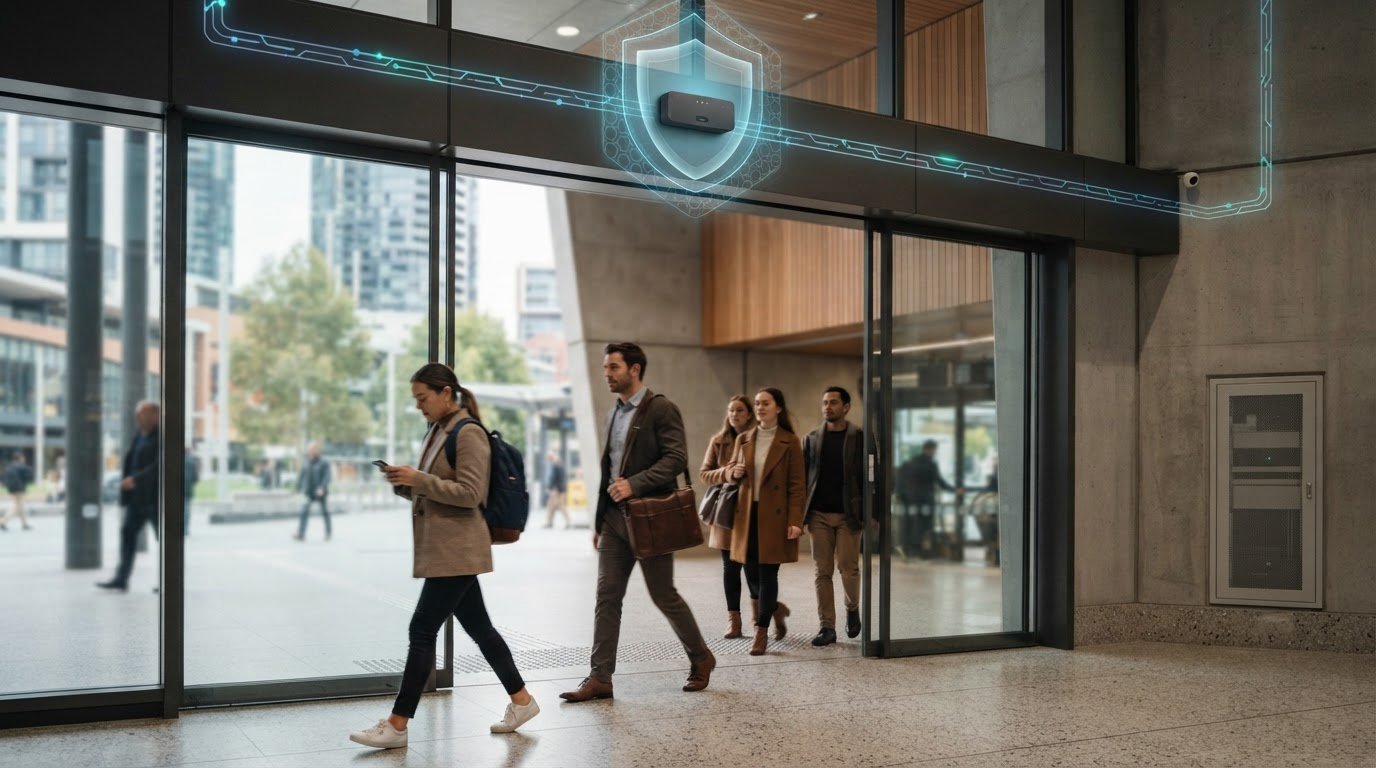
Three ways to protect people counter networks, firmware and devices
A people counter is only as secure as the network and device around it. Securing network infrastructure for people counters means separating network traffic, encrypting data in transit, validating and monitoring firmware, and restricting device access. These controls limit potential routes for attackers and reduce the risk of a compromised device affecting wider operations.
Focusing on the network is sensible, but device settings and firmware also shape system security. This article outlines practical ways to reduce common network risks, verify and update firmware, and secure counter devices through stronger access controls and safer configuration. Together, these steps help protect measurement processes so occupancy data can support operational decisions.
Key Takeaways
- Segment people-counter traffic and encrypt network communications to limit exposure and reduce interception risks.
- Build a firmware routine that validates updates before deployment and monitors devices for unexpected changes.
- Harden each device by removing unused services, replacing default passwords and disabling unencrypted remote administration.
- Back up network configurations offline and periodically test device settings against your security requirements.
1. Strengthening Network Security Against Common Attacks
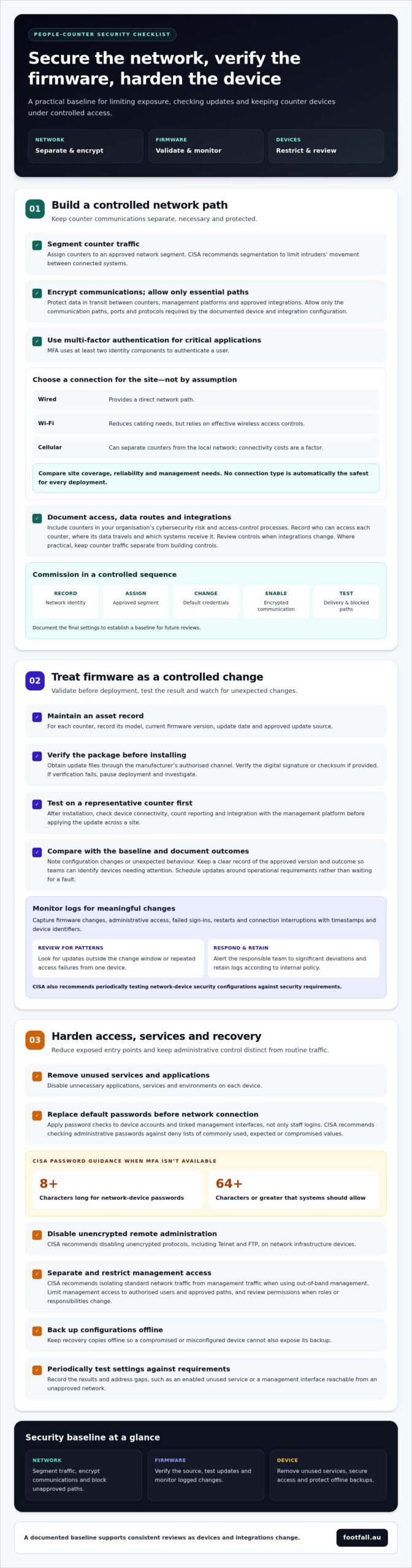
A practical plan for securing network infrastructure for people counters starts with network segmentation. CISA recommends segmentation to limit intruders’ movement between connected systems. Encrypt communications between counters, management platforms and approved integrations to reduce interception risks. Use multi-factor authentication for critical applications. CISA defines it as using at least two identity components to authenticate a user.
Wired connections provide a direct network path. Wi-Fi reduces cabling needs but relies on effective wireless access controls. Cellular connections can separate counters from the local network, though connectivity costs are a factor; teams assessing dedicated mobile network solutions can explore providers like Proxied. Compare site coverage, reliability and management needs before choosing: no connection type is automatically the safest for every deployment.
For securing network infrastructure for people counters in Australia, include devices in your organisation’s cybersecurity risk and access-control processes. Apply the framework relevant to your organisation and sector. Document who can access each counter, where its data travels and which systems receive it. Review these controls whenever integrations change.
For cloud platforms or building management systems, encrypt data in transit and allow only necessary communication paths. Where practical, keep counter traffic separate from building controls. Required ports and protocols depend on the counter and integration, so follow the device’s documented configuration and allow only essential connections.
Commission counters in a controlled sequence: record each device’s network identity, assign its approved segment, change default credentials and enable encrypted communication. Test data delivery to the intended platform, confirm unapproved paths are blocked, and document the final settings. This establishes a baseline for future reviews.
2. Firmware validation and monitoring
Treat each firmware update as a controlled change, not a routine file replacement. Record each counter’s model, current firmware version, update date and approved source in an asset register. Obtain update files through the manufacturer’s authorised channel, then verify the digital signature or checksum if provided. If verification fails, pause deployment and investigate before installing the file. This helps detect altered or corrupted packages before they reach operational devices.
Test updates on a representative counter before applying them across a site. After installation, check core functions, including device connectivity, count reporting and integration with the management platform. Compare the updated device with its recorded baseline, and document configuration changes or unexpected behaviour. Keep a clear record of the approved version and outcome so teams can identify devices needing attention. Schedule updates around operational requirements, rather than waiting for a device to show a fault.
Logs make those checks useful over time. Capture firmware changes, administrative access, failed sign-ins, restarts and connection interruptions with timestamps and device identifiers. Review entries for patterns, such as an update outside the change window or repeated access failures from one device. Alert the responsible team to significant deviations, and retain logs according to internal policy. CISA also recommends periodically testing network-device security configurations against security requirements, a useful companion to firmware review. Teams assessing counter hardware can explore people counting systems as part of the same security review.
3. Hardening network devices
A people counter can become an entry point if its management settings are exposed. Remove unused applications, services and environments from each device. Change default passwords before connecting counters to operational networks. Disable unencrypted remote administration protocols, including Telnet and FTP, as CISA recommends for network infrastructure devices.
Where multi-factor authentication isn’t available, CISA recommends network-device passwords be at least eight characters long and that systems allow passwords of 64 characters or greater. CISA also recommends checking administrative passwords against deny lists of unacceptable values, including commonly used, expected or compromised passwords. Apply these checks to device accounts and any linked management interface, not only staff logins.
Separate management access from ordinary device traffic. CISA recommends isolating standard network traffic from management traffic when using out-of-band management. This keeps routine counter communications distinct from administrative control. Limit management access to authorised users and approved paths, then review permissions when roles or responsibilities change.
Protect recovery as carefully as access. CISA recommends backing up network-device configurations and storing backups offline, so a compromised or misconfigured device cannot also expose its recovery copy. Periodically test device security configurations against your organisation’s requirements, as CISA advises. Record the results and address gaps, such as an enabled unused service or a management interface reachable from an unapproved network.
Use this baseline to assess counter deployments and identify practical device options. Explore people-counter options for your site.
Footfall Australia: FootfallCam Pro2 People Counters
Footfall Australia offers FootfallCam Pro2 People Counters for organisations measuring movement through physical spaces. Consider this option when planning a new counter deployment or reviewing how people-counting devices fit within your network security approach. Align the device deployment with the controls covered above, including restricted access, approved firmware processes and documented configuration settings.
Footfall Australia also offers FootfallCam Pro1 IP Cameras, FootfallCam Centroid and FootfallCam V9 Software. These offerings relate to people-counting technology and its supporting systems, so they may be relevant when assessing a broader deployment rather than a single device. Choose the setup according to the measurement task and the network environment it must operate within.
To discuss people-counting options for your site, contact Footfall Australia or visit footfall.au.
Make security part of your next deployment decision
Use each new deployment to build security into daily operations. Assign responsibility for reviewing device access, firmware changes and configuration records so these controls remain part of routine system management. A clear owner can also help connect technical settings with the quality and continuity of the occupancy data teams rely on.
For organisations planning or reviewing a people-counting setup, Footfall Australia offers FootfallCam Pro2 People Counters, FootfallCam Pro1 IP Cameras and FootfallCam Centroid. Consider how each offering fits the site’s measurement requirements and security approach. A considered plan for securing network infrastructure for people counters can support more reliable operational decisions as spaces and systems change.
Contact Footfall Australia to discuss your people-counting needs and take a confident next step.
Frequently Asked Questions
How to Strengthen the Security of Your Network Infrastructure to counter the Most Common Attacks?
Strengthen security by matching each control to a likely attack path. If an attacker obtains a staff account, for example, multi-factor authentication can make unauthorised access harder. Keep a straightforward response plan identifying who can isolate a counter, preserve relevant logs and restore approved settings. Practising these steps helps teams respond consistently instead of improvising during an incident.
What are the Common Vulnerabilities in the Network Infrastructure and How to Protect Yourself?
Untracked devices and undocumented network changes can create blind spots. Maintain an inventory recording each counter’s location, network identity, assigned owner and approved configuration. Compare it with network discovery records after installation or a site change. Investigate unfamiliar devices or unexpected communication paths, which may indicate an unauthorised connection or a configuration that no longer meets operational needs.
What security threats are associated with network infrastructure devices?
Compromised infrastructure devices can expose management access, disrupt connections or create a route to other systems. A misconfigured switch, for example, may connect a counter network to systems that should remain separate. Attackers may also change device settings or interrupt data flow. Include switches, access points and gateways in security reviews instead of assessing counters in isolation.
What network security risks do people counters create?
People counters can reveal occupancy patterns if unauthorised users access their data or dashboards. Incorrect or unavailable counts can also affect operational decisions, such as how teams interpret room use. UNSW says its people-counting camera sensors cannot identify individuals and are not used to monitor student attendance. Consider privacy and access controls during deployment, while assessing the actual data collected at each site.
How should people counters be segmented on a business network?
Place counters in a dedicated network segment, then specify which approved systems can communicate with it. For example, allow the segment to send data to its management platform while blocking direct access to staff workstations. Where possible, keep administrative access on a separate, restricted path. Document these rules so network teams can review them when integrations or site requirements change.