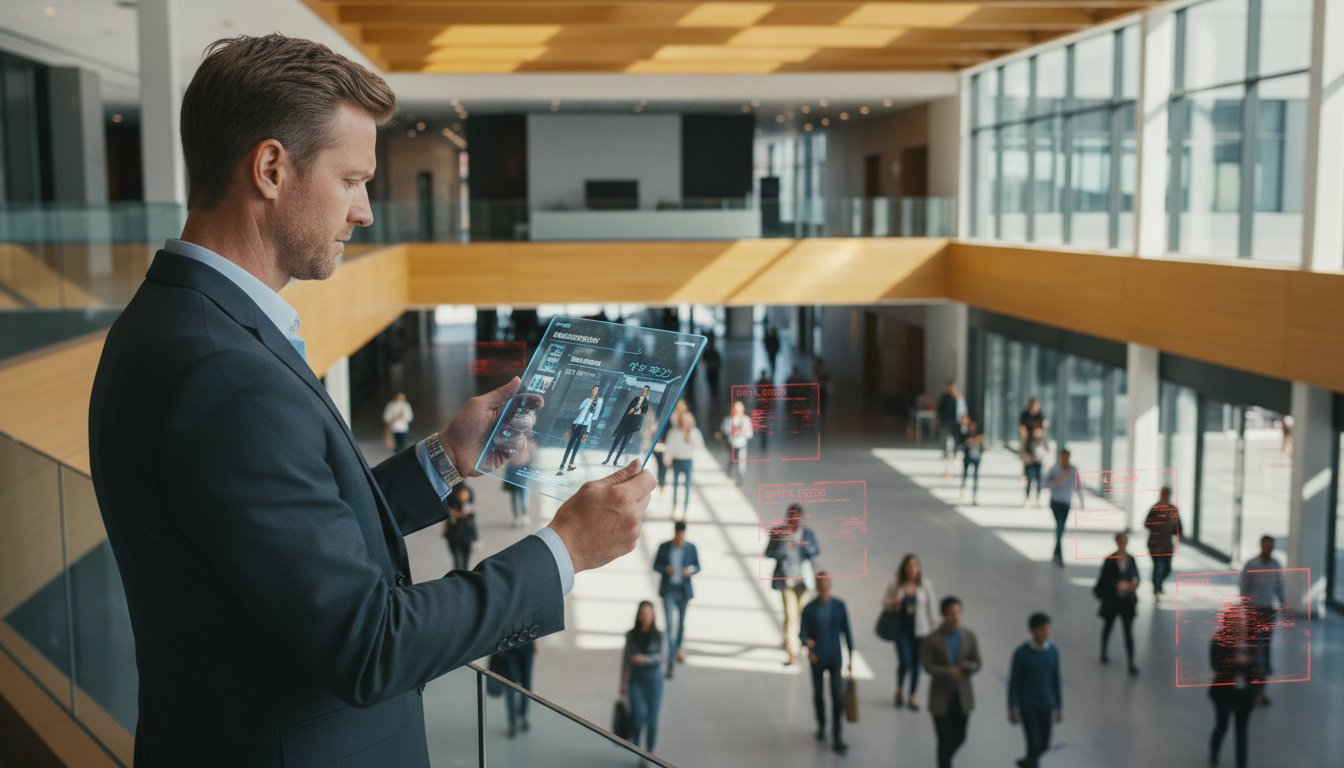
Troubleshooting Inaccurate People Counter Data: A 2026 Data Integrity Guide
What if the data driving your most critical labor and conversion decisions is fundamentally flawed? With the COUNTER Code of Practice now requiring precise reporting standards as of April 2026, relying on skewed metrics doesn’t just hurt your reporting; it actively erodes your bottom line through misallocated staffing and distorted sales targets. You likely understand that even a small margin of error leads to hundreds of wasted labor hours and lost revenue opportunities. It’s frustrating to invest in sophisticated hardware only to find yourself questioning the validity of every KPI on your dashboard.
Restore your data integrity by troubleshooting inaccurate people counter data to reclaim 95% or higher accuracy across your entire network. You’ll learn how to identify whether your discrepancies stem from physical environmental interference or logical software misconfigurations. This guide outlines a clear path to restore your business intelligence, from immediate sensor calibration to implementing a long-term preventative maintenance schedule. Implement these evidence-based insights to transform complex technical observations into simple, intuitive reporting that empowers your strategic growth.
Key Takeaways
- Recognize the symptoms of data erosion, such as “ghost counts” during non-operational hours, to establish a baseline for your system’s integrity.
- Learn the methodology for troubleshooting inaccurate people counter data by isolating physical obstructions from logical configuration errors.
- Implement a 5-step systematic audit that includes real-time “Live View” monitoring to observe how your AI sensors interpret human movement.
- Discover how environmental variables, including high-contrast sunlight and seasonal decorations, impact the precision of optical and AI-based sensors.
- Determine the threshold for professional intervention and how structured support plans ensure long-term data reliability and ROI.
Identifying the Symptoms of Inaccurate Footfall Data
Data integrity is the foundation of any intelligent business operation. It represents the degree to which your digital metrics accurately reflect the physical reality of human movement within your space. When you begin troubleshooting inaccurate people counter data, you aren’t just fixing a sensor; you’re protecting the validity of your entire strategic roadmap. Various people counting technologies, ranging from legacy infrared beams to advanced AI-driven computer vision, can experience drift or failure over time. Recognizing the early warning signs of these discrepancies is the first step toward restoration. Effective troubleshooting inaccurate people counter data begins with a clear understanding of these symptoms before moving into technical repairs.
Three primary symptoms typically emerge when data integrity fails:
- Ghost Counts: These manifest as spikes in traffic during periods when the premises are empty or closed. They’re often caused by environmental “noise” like swinging signs, shifting shadows, or drastic lighting changes that the system misinterprets as human movement.
- Systemic Undercounting: This occurs when the recorded footfall is consistently lower than physical observations. It’s common in high-density environments where sensors fail to distinguish individual bodies within a group or when the mounting height is incorrect.
- Data Flatlining: This is a total loss of signal where the data stream reports zero or stays frozen at a specific value. This usually indicates a critical hardware fault, a power supply issue, or a server communication breakdown.
Reliable data is especially vital for retail footfall analysis Australia, where high labor costs and competitive pressures leave no room for guesswork. If the input data is wrong, every subsequent decision regarding staffing or marketing spend is compromised.
The Mathematical Impact of Inaccuracy
Small errors compound quickly across large datasets. A mere 10% inflation in footfall data can artificially depress your sales conversion rate, making a high-performing team look inefficient on paper. Inaccurate data leads to flawed labor cost-to-sales ratios that cause overstaffing during quiet periods and missed revenue during actual peaks. Modern Australian businesses require precision because “roughly right” metrics lead to expensive operational waste and a loss of trust in executive reporting.
Establishing an Accuracy Baseline
Start with a manual verification process often called the “Clicker Test.” Stand near the entrance and count 100 people manually, then compare this figure against the system’s report for that exact window. This identifies if the discrepancy is device-specific, perhaps due to a dirty lens, or site-wide, which might suggest a software logic error. Aim for a 95% accuracy baseline as the enterprise standard for modern AI counters. If your current system falls below this, it’s time to investigate the physical and logical layers of your installation to find the root cause.
Environmental conditions often serve as the silent disruptors of data integrity. While hardware specifications are a vital starting point, the physical context of the installation determines the ultimate reliability of your metrics. When troubleshooting inaccurate people counter data, you must examine the entrance environment for variables that interfere with the sensor’s perception of movement.
High-contrast Australian sunlight is a frequent culprit for optical inaccuracies. Intense glare reflecting off polished floors or glass facades can “blind” sensors, leading to missed counts or false triggers. This is where advanced people counting technology becomes essential, as modern AI-driven systems use sophisticated exposure compensation to maintain accuracy despite shifting light levels. Physical obstructions also play a significant role. Temporary marketing banners or festive decorations frequently encroach upon the sensor’s Field of View (FoV). Even a slight overlap can obscure a person’s head and shoulders, preventing the AI from identifying a valid human target.
Mounting stability is an often overlooked factor in troubleshooting inaccurate people counter data. Subtle, persistent vibrations from high-powered HVAC systems can induce motion blur in high-resolution sensors. This blur creates “noisy” data that complicates the process of diagnosing AI counters, as the software struggles to track clear outlines of individuals. Ensuring a rigid mounting surface is a simple fix that yields immediate dividends in data precision.
The “Doorway Dynamics” Challenge
The physical behavior of visitors at an entrance can distort counts if the system isn’t calibrated for specific “doorway dynamics.” The “Loitering Effect” occurs when visitors stop directly under a sensor to wait for companions. If the counting zone isn’t properly defined, the system may count these individuals multiple times. Older infrared systems are particularly susceptible to automatic sliding doors, which can break the beam and register as a person. Optimizing the FoV to exclude the door’s mechanical movement ensures the counter only focuses on relevant human traffic.
Thermal and Infrared Interference
Thermal-based sensors face unique challenges from ambient heat. Heat vents positioned too close to the sensor or direct IR radiation from sunlight can create “heat signatures” that mimic human presence. Dual-lens technology mitigates these depth-perception errors by using stereoscopic vision to distinguish between a flat heat source and a 3D human form. In semi-outdoor environments, dust accumulation or insect ingress can also degrade lens clarity. Regular cleaning is a fundamental maintenance task that preserves the long-term utility of your footfall data systems.
Hardware vs. Software Calibration: Diagnosing AI Counters
Modern data discrepancies rarely stem from total hardware failure. Instead, most issues reside in the “logic layer,” where the device’s internal software interprets visual information. When troubleshooting inaccurate people counter data, you must first determine if the sensor is seeing the environment correctly. The hardware might be fully operational, yet provide skewed results if the software parameters don’t align with the physical installation. This logical misalignment is often more difficult to detect than a broken lens because the system continues to report numbers, albeit incorrect ones.
Height and angle calibration remains the primary cause of AI misidentification. If a FootfallCam Pro2 is set to a ceiling height of 3.0 meters when the actual height is 3.5 meters, the AI’s stereoscopic depth perception will be fundamentally distorted. This leads to “object scaling” errors where the system fails to recognize humans because they don’t fit the expected pixel dimensions. Similarly, background learning algorithms must be allowed to settle; these systems constantly analyze the environment to distinguish between static objects, like a new display table, and moving human targets. Ensuring your device runs the latest firmware is essential, as updated AI models are better equipped to handle these complex environmental variables.
AI Classification Errors
Classification errors often manifest as “double counting,” where the system identifies a single person as two distinct entities. This typically happens in high-traffic zones where individuals walk closely together. You can mitigate this by fine-tuning sensitivity thresholds to match your specific floor textures and colors. Additionally, data integrity relies on effective staff filtering. By implementing exclusion zones or utilizing staff tags, you ensure that employee movements don’t inflate your customer footfall metrics. These logical adjustments are critical for troubleshooting inaccurate people counter data at the source.
Data Transmission and Network Lag
Network infrastructure can introduce “jitter” or gaps in your reporting. While Wi-Fi offers installation flexibility, it is more prone to interference and latency than a dedicated Ethernet connection. Identifying packet loss is vital when data is being uploaded to the V9 software; if the connection is unstable, fragments of the count may never reach the cloud. While real-time processing occurs locally on the device to maintain privacy and speed, scheduled data uploads ensure that the V9 software remains synchronized without overwhelming your network bandwidth. Monitoring these transmission logs helps distinguish between a counting error and a simple communication delay.
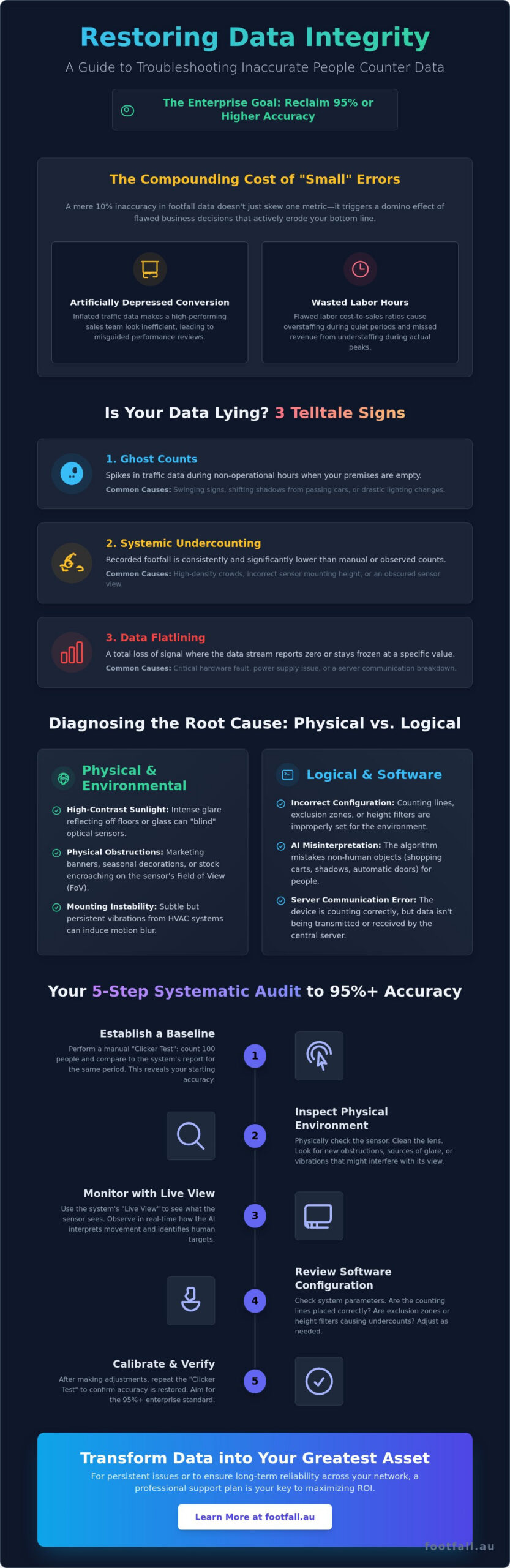
The 5-Step Systematic Data Audit
Executing a systematic audit is the most efficient way to move from guesswork to a definitive resolution. When troubleshooting inaccurate people counter data, you must follow a structured sequence that isolates variables one by one. This prevents you from making unnecessary software changes when a simple physical fix is required, or vice versa. By following this five-step process, you can restore confidence in your business intelligence metrics and ensure your strategic decisions rest on a foundation of empirical truth.
- Step 1: Physical Inspection. Begin with the tangible. Verify that the sensor lens is free from dust, spider webs, or smudge marks that can blur the AI’s vision. Check the mounting bracket to ensure no structural shifting has occurred since the initial installation.
- Step 2: Live View Audit. Access your device via the FootfallCam V9 software to watch the counter “think” in real-time. Observe the tracking boxes as people pass through the entrance. If the boxes flicker or fail to latch onto targets, the issue is likely environmental or logical.
- Step 3: Logical Verification. Review the placement of your counting lines and exclusion zones. Ensure the lines are positioned where foot traffic is most linear and that they don’t overlap with swinging doors or reflective surfaces.
- Step 4: Network Diagnostic. Perform a ping test to check for upload stability. High latency or packet loss can cause data to arrive in “bursts,” leading to reporting gaps that look like counting errors but are actually communication failures.
- Step 5: Historical Comparison. Analyze your traffic trends to identify exactly when the inaccuracy began. If the dip coincides with a store renovation or a new marketing display, you’ve found your primary suspect.
If your internal team cannot resolve the discrepancy through these steps, it’s time to request a data integrity review from a specialist who can analyze your device logs remotely.
Conducting a Remote Video Audit (RVA)
The FootfallCam portal allows you to perform a comprehensive health check without being on-site. You can capture “Audit Clips,” which are short video recordings showing the AI’s tracking overlays. By comparing manual counts against these system timestamps for 15-minute intervals, you can calculate your exact accuracy percentage. This objective evidence is vital for troubleshooting inaccurate people counter data because it proves whether the system is meeting its 95% accuracy promise.
Refining Exclusion and Inclusion Zones
Data precision often requires cleaning the “Dead Zones” where customers linger without actually entering the premises. Use your software to draw exclusion zones around benches or digital kiosks. You should also adjust “U-Turn” logic to automatically filter out individuals who cross the threshold but immediately exit. Fine-tuning height parameters is another effective tactic; this allows you to exclude shopping trolleys or children from the count if your specific KPI focus is on adult purchasing units.
Ensuring Long-Term Integrity with Professional Support
While the 5-step audit provides a solid baseline, troubleshooting inaccurate people counter data in a complex retail or public environment often requires specialized technical oversight. DIY efforts effectively resolve surface-level issues like obstructed lenses, but they rarely address deep-seated AI logic drift or complex network packet loss. Professional support ensures that your business intelligence remains a reliable asset rather than a source of internal debate. Relying on intuition to guess why numbers look wrong is a risk that modern, data-driven organizations cannot afford to take in 2026.
People counter support plans provide a proactive layer of defense. Instead of reacting to data gaps weeks after they occur, these plans utilize automated health monitoring to catch discrepancies in real-time. If you find that your current hardware consistently fails to meet accuracy benchmarks, the Legacy Swap Out Plan offers a structured path to replace inaccurate infrared beams or 2D sensors with high-precision AI sensors like the FootfallCam Pro2. This transition is often the most cost-effective way to eliminate recurring errors and restore trust in your footfall metrics.
Maintaining a 95% accuracy standard year-round requires a commitment to routine technical hygiene. Use this final checklist to stay ahead of data erosion:
- Quarterly lens cleaning and mounting stability checks.
- Bi-annual verification of exclusion zones against current store layouts.
- Monthly firmware synchronization to access the latest AI classification models.
- Weekly review of “Device Offline” alerts to prevent data blackouts.
The Value of Proactive Health Checks
Automated alerts for “Device Offline” status are critical for maintaining data continuity across large-scale networks. Our partners provide on-site recalibration when environmental shifts, such as new lighting or structural changes, exceed the AI’s self-learning capabilities. Monthly data health reports prevent “metric drift” by identifying subtle accuracy declines before they impact your quarterly KPIs. These reports provide the empirical evidence needed to justify operational shifts and staffing adjustments with absolute confidence.
Next Steps for Your Business
You can request a comprehensive system audit from a specialist to identify hidden bottlenecks in your current deployment or for troubleshooting inaccurate people counter data that persists after basic fixes. Integrating your verified footfall data with existing POS systems allows you to calculate true sales conversion rates with 95% or higher confidence. This synergy between traffic data and transactional records is the ultimate goal of high-integrity business intelligence. To secure your data integrity and future-proof your analytics, contact Footfall Australia for a professional system health check today.
Restoring Data Integrity for Strategic Growth
Data integrity isn’t just a technical requirement; it’s the foundation of your organization’s strategic confidence. You’ve seen how environmental noise and logical misconfigurations can distort your KPIs, yet these challenges are entirely solvable through methodical troubleshooting inaccurate people counter data. By distinguishing between physical lens obstructions and the underlying AI logic layer, you can reclaim the precision needed for effective labor and conversion analysis. Relying on verified evidence rather than intuition ensures your operational decisions lead to measurable growth.
Our national Australian support network is ready to help you bridge the gap between raw numbers and actionable intelligence. Whether you require a Specialised Legacy Swap Out plan to modernize your hardware or a 95% Accuracy Guarantee on your calibrated FootfallCam Pro2 units, the path to reliable metrics is clear. Request a Professional Data Integrity Audit from Footfall Australia today to ensure your business decisions remain rooted in empirical truth. You don’t have to settle for “roughly right” when enterprise-grade precision is within reach.
Frequently Asked Questions
How often should I clean the lens of my people counter?
Quarterly cleaning is the standard recommendation for most retail environments. However, high-dust locations or semi-outdoor entrances may require monthly maintenance to prevent “ghosting” or blurred tracking. Keeping the glass clear ensures the AI maintains its 95% accuracy baseline by providing a sharp visual feed for the processing engine.
Why does my people counter show traffic when the store is closed?
This phenomenon is typically caused by “ghost counts” from environmental triggers like shifting shadows, swinging promotional signs, or automatic cleaning robots. You can resolve this by adjusting the software sensitivity thresholds or configuring specific operating hours within the FootfallCam V9 software to automatically filter out movement during non-operational periods.
Can shadows or reflections cause inaccurate counting data?
Yes, intense reflections on polished floors or sharp shadows from high-contrast sunlight can confuse legacy 2D sensors. Modern 3D stereo-vision systems, such as the FootfallCam Pro2, mitigate this issue by using depth perception to distinguish between a flat shadow and a three-dimensional human form. This technology is essential for maintaining precision in bright Australian storefronts.
What is the acceptable margin of error for a professional people counter?
Enterprise-grade systems should maintain an accuracy rate between 95% and 98% in standard environments. If your metrics consistently fall below 90%, it’s time to begin troubleshooting inaccurate people counter data through a systematic physical and logical audit. Falling below this threshold significantly skews your sales conversion rates and labor allocation models.
Does changing the store layout require me to recalibrate my sensors?
Yes, any structural change to the entrance path or the placement of display kiosks near the counting zone requires a logic review. New obstructions can block the sensor’s Field of View, while shifted entrance paths might require repositioning the digital counting lines. Recalibration ensures the system continues to track human movement patterns correctly within the updated space.
How do I know if my data issue is hardware-related or software-related?
Access the “Live View” feature in your management portal to observe real-time tracking overlays. If the video feed is clear but the tracking boxes are missing or flickering, the issue is likely rooted in software logic or calibration. If the video feed itself is black, distorted, or blurry, the problem usually stems from hardware faults, dirty lenses, or cabling issues.
Can my people counter distinguish between staff and customers?
Advanced AI counters can effectively filter out employees by using designated exclusion zones or specialized staff tags. This distinction is vital for troubleshooting inaccurate people counter data that appears inflated. By removing repetitive staff movements from the total count, you ensure that your conversion metrics reflect genuine customer behavior rather than internal operational traffic.
What happens to my data if the store Wi-Fi goes down?
Most professional devices, including the FootfallCam Pro2, feature internal storage that caches data during network outages. Once the Wi-Fi or Ethernet connection is restored, the device automatically uploads the stored counts to the V9 software. This fail-safe mechanism ensures that no data loss occurs during local connectivity downtime, preserving the continuity of your historical reports.