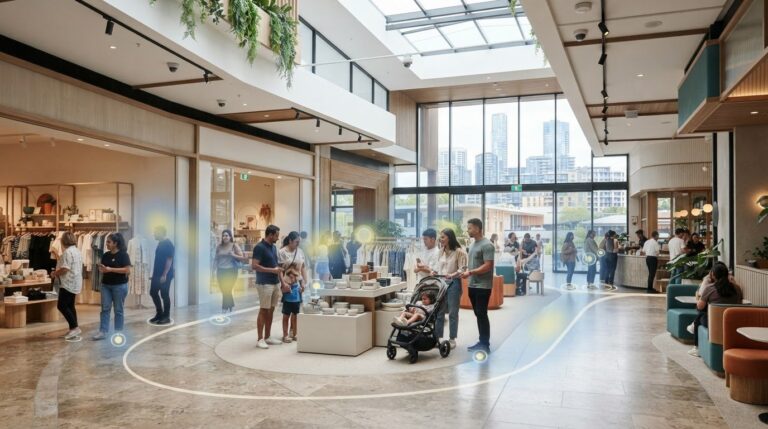
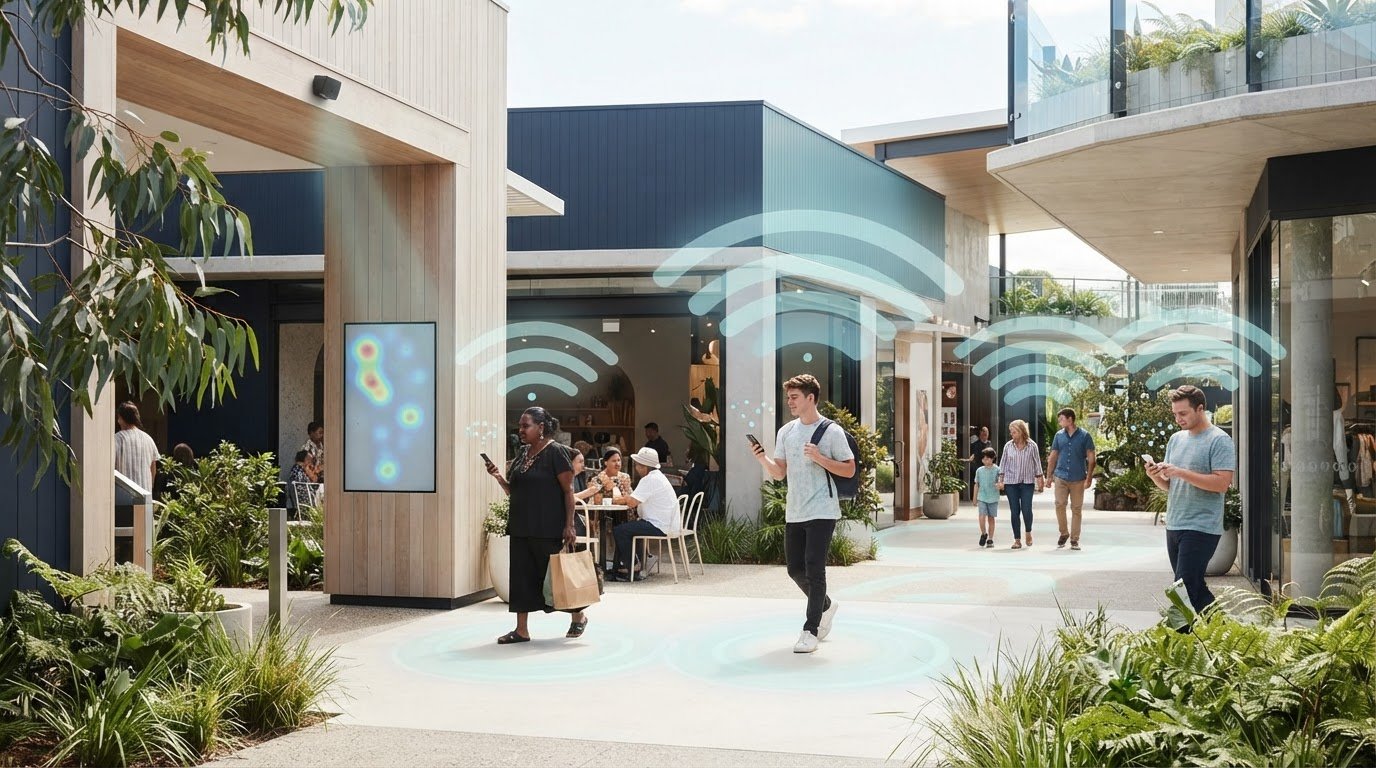
Wi-Fi Footfall Analytics and How Smartphone Tracking Works
Wi-Fi analytics estimates footfall by detecting signals from smartphones searching for networks, then using device identifiers and signal strength to infer presence, dwell time and movement. The limitations of using Wi-Fi analytics for footfall are fundamental: it counts detectable devices, not people, and misses visitors with Wi-Fi switched off or without a compatible device. It can help identify patterns, but it is less reliable as a standalone measure of exact entries.
The appeal is clear: smartphone tracking can indicate movement around a venue without requiring every visitor to install an app or log in. But the value of those insights depends on how data is collected and interpreted. This article explains how tracking works, where estimates can mislead, and how consent-based analytics and authenticated data affect what you can responsibly measure.
Key Takeaways
- Consent-based measurement works best when consent records are timestamped and connected to the relevant user profile, with clear limits on data use and retention.
- Authenticated network access, including IEEE 802.1X, can help associate Wi-Fi activity with known-user sessions, but privacy safeguards still shape what can be reported.
- Device randomisation can disrupt repeat-visit analysis; when it isn’t handled, Wi-Fi counts may be 30-50% higher than manual counts.
- Use Wi-Fi patterns to explore movement and dwell, then validate entry counts with a physical counter and interpret location estimates in light of signal coverage.
Consent-based analytics and authenticated data
Wi-Fi analytics can complement physical footfall monitoring: counters record door crossings, while network data can indicate movement and dwell time. Consent, authentication and aggregation all shape how responsibly venues collect and use these signals.
Customer Consent for Data Use
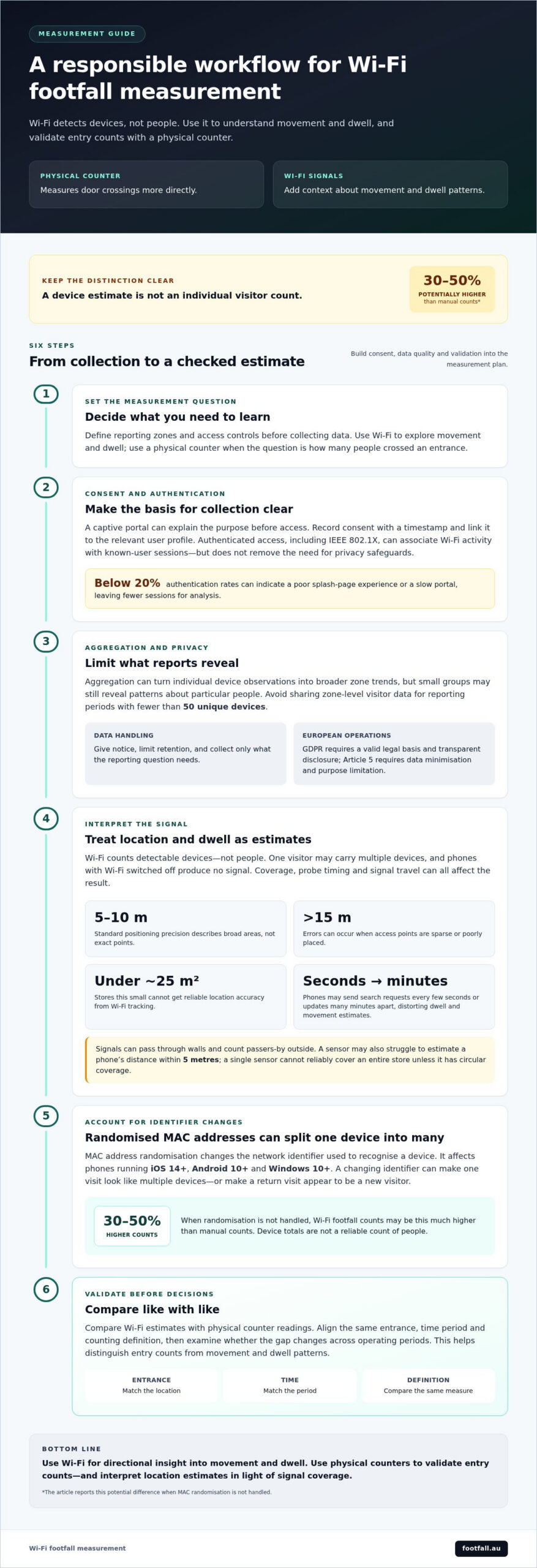
Consent-based analytics links data collection to a visitor’s clear agreement, while authenticated data connects Wi-Fi activity to a recognised user session. A captive portal can explain the purpose before access, then record consent with a timestamp and link it to the user’s profile. This creates a clearer basis for using phones’ network requests, rather than treating every signal as permission. IEEE 802.1X is relevant when authenticated network access links Wi-Fi footfall data to known-user sessions. Authentication design also affects participation: rates below 20% can indicate poor splash-page experience or a slow portal, leaving fewer sessions for analysis.
Aggregation and Re-identification Risks
Aggregation combines individual device observations into broader measures, such as zone-level visitor trends. It reduces exposure to identifiable records, but small groups can still reveal patterns about particular people. Avoid sharing zone-level visitor data for reporting periods with fewer than 50 unique devices. A device identifier can be linked to a person, so customer notice and limits on data retention matter even when reports show totals. For European operations, GDPR requires a valid legal basis and transparent disclosure; GDPR Article 5 requires data minimisation and purpose limitation. These principles help define which data a retail report needs and who can access it.
Data Quality and Implementation Challenges
Data quality depends on portal uptake, network coverage and how teams combine data sources. Compare Wi-Fi estimates with physical counter readings to distinguish entry counts from movement and dwell patterns. Retail teams should define reporting zones and access controls before collecting data, so the results address a clear operational question. Slow authentication can reduce the usable sample, while collecting unnecessary identifiers increases privacy risk. In Australia, plan for notice, access and retention from the outset. This helps teams assess accuracy consistently across stores and venues.
Limitations of WiFi-based footfall measurement are not discussed
Wi-Fi footfall estimates aren’t a headcount: sensors detect devices, not people. One visitor may carry multiple devices, while phones with Wi-Fi switched off produce no signal. Visitors with compatible devices may not represent every customer. As a result, comparisons between stores, customer groups or trading periods can be skewed, even when the same hardware is used.
Standard Wi-Fi positioning precision is 5-10 metres, so it describes broad areas rather than exact points. Errors greater than 15 metres can occur when access points are sparse or poorly placed. Sensors may struggle to estimate a phone’s distance within 5 metres. Stores under about 25 square metres can’t get reliable location accuracy from Wi-Fi tracking.
Signals can pass through walls, so an access point may count passers-by outside as visitors. An active phone might send network-search requests every few seconds, but a phone that probes less often may send updates many minutes apart. These gaps can distort dwell estimates and movement paths, even when a dashboard presents the results clearly. A single sensor also cannot reliably cover an entire store unless it has circular coverage.
These limitations of using Wi-Fi analytics for footfall make it a directional source of insight, not an individual visitor count. Compare estimates with a physical counter before using them for staffing or layout decisions. Door counters measure crossings more directly, while Wi-Fi can add movement context. This combination preserves useful insights without treating device signals as people. For a more direct count, explore physical footfall measurement alongside Wi-Fi data.
How do device randomisation and MAC address changes limit Wi-Fi tracking?
A MAC address is a network identifier that Wi-Fi analytics can use to recognise a device across observations. Device randomisation changes that identifier to limit tracking. It affects phones running iOS 14+, Android 10+, and Windows 10+, making it harder to tell whether separate signals came from one returning visitor or several devices.
This matters when estimating unique visitors, return visits and dwell time. If a phone presents changing identifiers during a visit, a system may interpret its signals as multiple devices. A return visit may also appear to come from a new visitor. Reports can therefore show inflated device counts and weaker repeat-visit patterns, rather than a reliable account of people moving through a venue.
When MAC randomisation isn’t handled, Wi-Fi footfall counts may be 30-50% higher than manual counts. That difference is a warning against treating device totals as people counts. Compare like with like: align the same entrance, time period and counting definition, then examine whether the gap changes across operating periods. This helps identify whether identifier changes, coverage or other measurement factors affect the comparison.
Use Wi-Fi data for broad movement patterns, not as the sole basis for exact entries or repeat-customer decisions. A physical counter offers a separate measure of door crossings, while Wi-Fi signals can add context about movement within a venue. Explore physical footfall measurement to compare device-based estimates with direct entry counts.
Not reliably: changing identifiers can make a return visit appear to come from someone new, so Wi-Fi data cannot provide an exact account of people moving through a venue.
Footfall Australia: FootfallCam Pro2 People Counters
Footfall Australia offers FootfallCam Pro2 People Counters for businesses that need a direct measure of visitor numbers. They can provide a physical counting reference alongside Wi-Fi estimates, helping teams compare device signals with observed footfall when assessing entrances or store performance.
Wi-Fi analytics may help describe movement, but it counts detectable devices rather than people. A people counter is more relevant when the decision depends on entry counts, such as comparing traffic across trading periods. Footfall Australia also offers FootfallCam Pro1 IP Cameras, FootfallCam Centroid and FootfallCam V9 Software.
Choose measurement methods based on the question your data needs to answer. Contact Footfall Australia to discuss people counting for your venue.
Turn Measurement Into Better Decisions
Make the next step a clearer measurement plan. Start with the operational decision you need to support, then decide what evidence would make that decision more reliable. A staffing question may call for a different view than a layout review or an entrance comparison. This keeps dashboards focused on actions, rather than collecting signals simply because technology can capture them.
The limitations of using Wi-Fi analytics for footfall are a reason to design complementary measurement, not abandon behavioural insight. Decide how device-based observations will be interpreted alongside direct counts, and document the assumptions behind each measure. This gives teams a consistent basis for reviewing performance and adjusting their approach as venues change.
For a practical discussion about people counting and measurement options, contact Footfall Australia. Build your next decision on evidence that fits the question, and move forward with greater clarity.
Frequently Asked Questions
What is WiFi analytics in retail?
Wi-Fi analytics in retail uses signals from nearby phones to estimate visitor activity. A retailer might compare traffic near a shop entrance with activity in a browsing area, then use those patterns to review layout or staffing decisions. Because it measures device signals, not transactions, it provides a different view from sales records or a direct count of people entering.
What is Wi-Fi Tracking Analytics?
Wi-Fi tracking analytics detects signals that smartphones send while searching for networks, then analyses observations from access points or sensors. The system can estimate when a device appears, how long it remains detectable and its general movement between zones. Visitors don’t need to install an app or log in for access points to detect signals, but the data represents devices, not every person.
How accurate is Wi-Fi analytics for measuring footfall?
Wi-Fi analytics can indicate broad traffic patterns, but it shouldn’t be treated as an exact headcount. Standard positioning precision is around 5-10 metres, which describes approximate location rather than entry-count accuracy. For example, a device near a shopfront may be outside the store. Compare Wi-Fi estimates with physical counter readings at the same entrance and time to assess their practical usefulness.
What factors affect the accuracy of Wi-Fi footfall counts?
Counts depend on whether visitors carry Wi-Fi-enabled devices, keep Wi-Fi active and generate detectable signals. One person may carry multiple devices, while signals passing through walls can include passers-by. Access point placement also affects location estimates. For example, a sensor near a shared corridor may capture traffic unrelated to the store, making careful placement and comparison with entrance counts important.
What privacy and consent rules apply to Wi-Fi analytics in Australia?
Australian organisations should carefully assess privacy obligations if a device identifier could be linked to a person. Give clear notice about collection and use, limit retention, and collect only what the analysis needs. If a captive portal obtains consent, retain a timestamped record linked to the relevant profile. GDPR applies to relevant European operations, not as Australia’s privacy law.