
Training Staff on Footfall Analytics: A Strategic Guide to Data-Driven Operations
What if your team viewed your people counting sensors not as a “Big Brother” surveillance tool, but as the essential roadmap for their daily success? For many retail and facility managers, the biggest hurdle isn’t the technology itself; it’s the gap between having the data and having a team that knows how to use it. You’ve likely felt the frustration of seeing a high-tech investment like the FootfallCam Pro2 installed, only to have staff ignore the metrics because they’re overwhelmed or skeptical. It’s a common challenge where the “why” behind the numbers gets lost in the “how.”
We’re here to bridge that gap. This guide will show you how training staff on footfall analytics can transform your team from passive observers into proactive strategists who move with purpose. You’ll learn a structured framework to demystify the FootfallCam V9 Software, align your team’s goals with real-time traffic patterns, and create a unified language of operational excellence. By focusing on the human behavior behind the metrics, you’ll empower your staff to make evidence-based decisions that drive sales conversion and improve the customer experience.
Key Takeaways
- Shift the internal narrative from surveillance to empowerment by showing staff how data validates their performance and justifies resource requests.
- Implement a tiered framework for training staff on footfall analytics that distinguishes between strategic management oversight and tactical front-line execution.
- Prioritize “Power Hours” as the most actionable metric for floor teams to help them proactively manage peak traffic and customer engagement.
- Integrate data into daily operational habits through morning huddles and mid-day pivots to ensure insights lead to immediate, positive changes.
- Utilize the intuitive, role-based dashboards in FootfallCam V9 Software to simplify the learning curve for new hires and maintain a single source of truth.
Building a Data-Driven Culture: Why Staff Buy-In is Your Real ROI
A data-driven culture is the collective habit of using empirical evidence to guide daily operational actions. In the context of Australian retail and public environments, this culture represents a shift from “gut feeling” management to a model where every team member understands how movement impacts the bottom line. While hardware like the FootfallCam Pro2 provides the raw numbers, the human element provides the interpretation. Without a team that values the “why” behind the metrics, even the most sophisticated people counting technology remains a passive expense rather than a strategic asset. Training staff on footfall analytics is the essential bridge that turns a technological investment into a functional advantage.
Technology alone fails when it is viewed as a separate entity from the workforce. When staff aren’t trained to interpret movement patterns, they often ignore the data or, worse, feel alienated by it. A successful culture ensures that every employee sees themselves as an active participant in the data ecosystem. This engagement directly influences the long-term accuracy of the system; staff who understand the value of the data are more likely to report sensor obstructions or anomalies, ensuring the “single source of truth” remains reliable for everyone involved.
The “Surveillance” Myth vs. The “Support” Reality
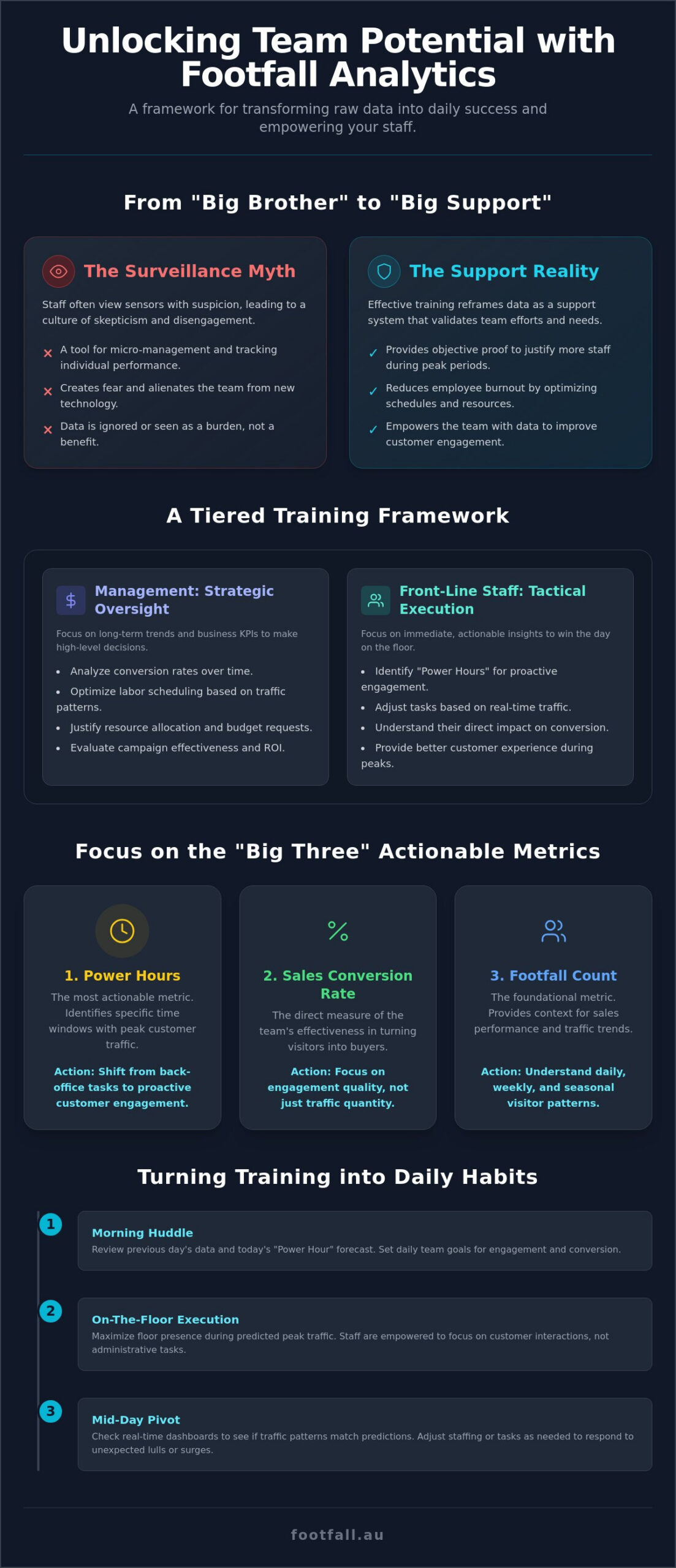
Staff often view new sensors with suspicion, fearing they are tools for micro-management or “Big Brother” style monitoring. Effective training reframes this narrative immediately. Instead of a tool for tracking individual performance, footfall data acts as a support system that justifies the need for more staff during peak periods. It provides the objective proof required to request additional resources, effectively reducing employee burnout. By utilizing retail footfall analysis Australia, managers can protect their team’s performance ratings. When sales are down but footfall is high, it signals a need for better stock or floor support rather than a failure of staff effort. This context empowers teams to focus on customer engagement with confidence.
Setting Clear Objectives for Your Training Program
Success requires specific, measurable targets that resonate with the team’s daily reality. For 2026, organizations should align their training goals with overarching business KPIs such as conversion rate improvement or optimized labor scheduling. Success shouldn’t be defined by how often a staff member logs into the FootfallCam V9 Software, but by how they use that information to adjust their behavior on the floor. Designating a “Data Champion” within the team fosters peer-to-peer learning and ensures that training staff on footfall analytics becomes a continuous process rather than a one-off seminar. These champions act as a bridge, translating complex analytical terminology into practical, actionable steps for their colleagues.
Essential Metrics for Every Team Member: Simplifying the Dashboard
Effective training staff on footfall analytics requires stripping away statistical noise and focusing on clarity. Front-line teams don’t need a degree in data science; they need three specific numbers that tell them how to win the day. We identify these as the “Big Three” metrics: Footfall, Conversion, and Power Hours. By narrowing the focus to these actionable points, you prevent data overwhelm and ensure your team feels empowered rather than burdened by the technology.
Power Hours represent the most actionable data point for floor staff. These are the specific windows of time when traffic peaks, requiring maximum floor presence. Knowing exactly when these occur allows your team to shift from reactive tasks, like restocking or administrative work, to proactive customer engagement. Understanding these patterns is a core part of Measuring Foot Traffic Trends to stay ahead of local competition and ensure your best salespeople are on the floor when the most customers are present.
Sales Conversion Rate is where staff behavior has the most direct impact. It measures the percentage of visitors who actually made a purchase. When your team understands this number, they stop viewing a “quiet” day as a failure and start seeing it as an opportunity to provide deeper engagement to every person who walks through the door. If you find your team struggling to translate these numbers into sales, exploring the FootfallCam Pro2 guide can help you understand how superior hardware provides the high-fidelity data needed to coach staff effectively.
Dwell Time serves as a vital indicator for visual merchandising and engagement success. It tracks how long a visitor remains in a specific zone or the store as a whole. If footfall is high but dwell time is low, it suggests that your floor layout or initial engagement isn’t holding their attention. This metric allows staff to experiment with different greeting styles or product placements and see immediate, data-backed results.
Translating Technical Jargon into Actionable Insights
Building trust in the system starts with explaining accuracy in simple terms. The FootfallCam Pro2 sensors operate at a 99.5% accuracy rate, meaning the numbers on the screen are a near-perfect reflection of reality. Use footfall data analysis to show your team that a “busy” store full of browsers isn’t always a “profitable” one if those visitors aren’t converting. Explain the difference between “Total Visits” and “Unique Visitors” by comparing it to a regular customer who visits twice versus two separate people; one measures total volume, while the other measures your actual customer reach.
Visualising Success with FootfallCam V9 Dashboards
The FootfallCam V9 Software provides intuitive, role-based dashboards that remove the intimidation factor from training staff on footfall analytics. Managers can customize views so that front-line staff only see the metrics relevant to their specific shift. You can also set up automated email reports, ensuring staff receive the data they need without having to actively seek it out. Real-time occupancy monitoring has become a standard safety and service metric for 2026, allowing teams to manage crowd density and service levels without manual counting.
A Tiered Training Framework: Management vs. Front-Line Staff
A common mistake in training staff on footfall analytics is delivering a single, uniform curriculum to the entire organization. A casual sales assistant doesn’t need to understand the nuances of year-over-year ROI, just as an executive doesn’t need to know the specific protocols for managing a queue surge in real-time. To ensure the data is actually used, you must segment your training into a tiered framework that matches the specific responsibilities of each role. This approach ensures that every team member receives information that is relevant, actionable, and directly tied to their daily success.
The Executive Tier sits at the top of this framework. For these leaders, the focus is on high-level trend analysis and site-to-site comparisons. They use the FootfallCam V9 Software to identify which locations are overperforming and which require strategic intervention. By viewing the organization through a macro lens, they can allocate capital and marketing budgets with a level of precision that intuition alone cannot provide. This high-level oversight ensures that the organization remains agile in a shifting retail landscape.
Cross-training serves as the safety net for this entire framework. Retail and public space management often face high staff turnover, which can lead to “data amnesia” if only one person knows how to interpret the system. By ensuring that multiple team members at each level understand the basics of the system, you maintain data continuity. This practice prevents the technology from becoming a “black box” that no one knows how to open when a key manager leaves.
Training Managers to Lead with Evidence
Managers act as the pivot point for data adoption. They must be trained to use people counting systems Australia to justify budget requests and operational changes. When a manager can show that traffic has increased by 15% on Tuesday mornings over the last month, their request for additional labor becomes an evidence-based business case rather than a subjective plea. We also encourage managers to use these metrics in performance reviews. By contextualizing sales figures within footfall data, they can provide fairer, more accurate feedback that focuses on conversion rather than just raw revenue.
Empowering Front-Line Teams with Real-Time Data
For front-line staff, training staff on footfall analytics should focus on the “here and now.” Teach your team to recognize “The Surge” by using real-time alerts from the FootfallCam V9 interface. When occupancy hits a specific threshold, the team should have a pre-set protocol to open new registers or move from task-based work to customer engagement. You can also use dwell time data to refine their approach. Staff can learn that a customer lingering in a high-value zone for more than three minutes likely needs assistance, while someone moving quickly may prefer a brief greeting. Gamifying these metrics, such as running a friendly competition for the highest hourly conversion rate, can boost morale and turn data into a source of team pride.
Operationalizing the Insights: Turning Training into Daily Habits
The true value of training staff on footfall analytics isn’t found in the training room; it’s found in the small, repetitive actions your team takes every day. Data only becomes a strategic advantage when it is integrated into the operational rhythm of the store. By “habit-stacking” analytics onto existing routines, you ensure that insights aren’t just viewed, but acted upon. This transition from theory to practice requires a structured approach that makes data consumption as natural as checking a watch.
The “Morning Huddle” serves as the foundation for this habit. Before the doors open, managers should spend two minutes reviewing yesterday’s traffic and today’s predicted peaks. This isn’t just about looking at numbers; it’s about setting the team’s intention. If yesterday’s conversion was low despite high footfall, the goal for today is deeper customer engagement. If the data predicts a mid-afternoon surge, the team knows to complete their administrative tasks early to be fully present on the floor when it matters most.
The “Mid-Day Pivot” is the tactical response to real-time events. While the FootfallCam V9 Software provides predictive trends, the floor reality can shift. Staff should be trained to check live occupancy and traffic flow during their shift. This allows for immediate adjustments, such as rescheduling break times or shifting staff from the backroom to the registers. This agility ensures that service levels never dip, even during unexpected spikes in visitors. To ensure your hardware is providing the high-fidelity data needed for these pivots, consider a consultation with the experts at Footfall Australia to optimize your sensor placement.
Establishing a feedback loop completes the habit cycle. Encourage your staff to report when the data doesn’t seem to match their floor experience. Perhaps a sensor is obstructed, or a specific event nearby is driving “window shoppers” rather than buyers. This dialogue ensures the team remains the primary interpreters of the data, reinforcing the idea that the technology is there to support their expertise, not replace it.
The 5-Minute Daily Data Routine
We recommend a simple, three-step routine to keep training staff on footfall analytics focused and efficient:
- Step 1: Check the “Predicted Traffic” for the day in the V9 Software to visualize the day’s flow.
- Step 2: Identify the two highest “Power Hours” and assign your most effective sellers to the floor during these windows.
- Step 3: Review the “Conversion Gap” from the previous day to set a specific, achievable team goal for the current shift.
Using Data for Store Layout and Merchandising
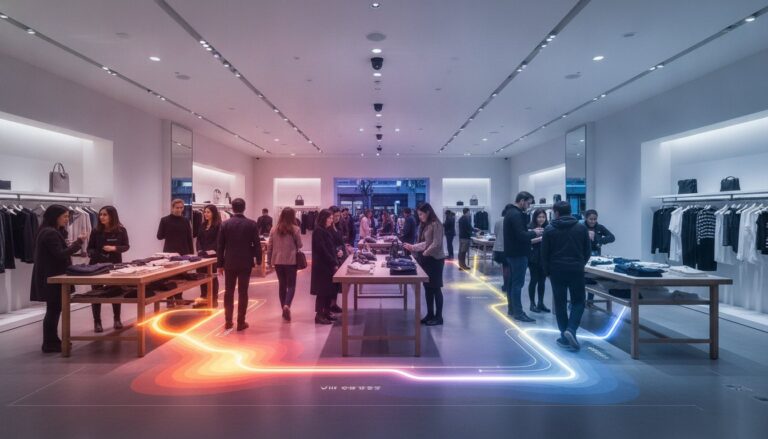
Staff can use heat maps to identify “dead zones” where customer movement is minimal. By training your team to interpret these visual representations of people counting technology, they can take ownership of the store’s physical performance. They can move high-margin items into the high-traffic paths identified by the sensors and measure the “Attraction Rate” of new window displays. This turns merchandising into a scientific experiment where the team can see the immediate impact of their creative choices on customer behavior.
Maximising the Learning Curve with FootfallCam V9 and Support
The long-term success of training staff on footfall analytics depends on the tools and support systems that back your team. FootfallCam V9 Software is engineered to simplify this process, featuring an intuitive, role-based interface that reduces the technical barrier for new hires. By providing a clear and accessible “single source of truth,” the software allows team members to move from initial orientation to actionable insight with minimal friction. Built-in help guides and the FootfallCam Academy offer self-paced learning paths, ensuring that the knowledge base remains consistent regardless of staff turnover.
Confidence is the primary driver of data adoption. If a team member suspects the numbers are inaccurate, their willingness to adjust their behavior vanishes. Reliable people counter support acts as the foundation of this confidence. Knowing that a technical team is monitoring sensor health ensures that the data remains “trainable” and trustworthy. Regular refresher courses are essential in 2026 to keep your team updated on new software features and evolving analytical methodologies, preventing the stagnation of your data culture.
Leveraging Professional Support for Technical Training
For organizations managing multiple sites, a Premium Support Plan is a vital resource for complex training rollouts. This plan provides the high-level oversight needed to ensure that every sensor across your network is performing at peak accuracy. Footfall Australia’s local expertise allows for bespoke training sessions that address the specific challenges of the Australian retail and public space sectors. We use remote diagnostics to identify and resolve technical hurdles before they stall your training momentum, ensuring your managers can lead with evidence rather than troubleshooting hardware.
Future-Proofing Your Team for AI Analytics
The retail landscape is shifting toward AI-driven predictive analytics, where the focus moves from what happened to what will happen. Training staff on footfall analytics today prepares them for this transition. The FootfallCam Pro2 hardware is designed to support these advanced features for the next decade, providing a stable platform for your team’s professional growth. As your staff becomes more comfortable with current metrics, they develop the analytical mindset required to interpret the complex behavioral narratives provided by AI integration.
Ready to empower your team? Contact Footfall Australia for expert training and system support to turn your movement data into a strategic operational advantage.
Transforming Movement into Operational Excellence
Empowering your team requires a fundamental transition from viewing technology as a monitoring tool to embracing it as a strategic partner. By focusing on actionable metrics like Power Hours and Conversion Rates, you provide your staff with the evidence they need to navigate high-traffic periods with quiet confidence. Training staff on footfall analytics ensures that your investment in sophisticated hardware translates directly into improved sales performance and a more resilient, data-driven organizational culture. This shift replaces intuition with empirical logic, allowing your team to move with purpose and precision. For those looking to apply that same level of purpose and precision to their personal fitness journey, check out 6X Training for expert coaching and results-driven support.
Success in the modern retail environment relies on high-fidelity accuracy and dedicated local expertise. With the FootfallCam Pro2 delivering 99.5% accuracy and our specialist team providing national Australian support, you can build a foundation that remains reliable for years to come. Our perpetual software licenses ensure you maintain full control of your insights without the burden of hidden monthly fees. Optimise your team’s performance with Footfall Australia’s advanced analytics solutions.
Your journey toward a more efficient, evidence-based operation begins with a simple commitment to transparency and structured training. We’re ready to help you lead your team into a more profitable and predictable future.
Frequently Asked Questions
How long does it typically take to train a retail team on footfall analytics?
Basic competency in reading dashboards usually takes one to two hours of focused instruction. However, the transition to a data-driven culture, where staff proactively use insights for daily tasks, typically requires a two to four-week period of consistent reinforcement. Managers should focus on short, daily interactions rather than a single, exhaustive session to ensure the information is retained and applied effectively across the floor.
Do I need a technical background to understand the FootfallCam V9 software?
You don’t need a technical background to navigate the FootfallCam V9 interface. The software uses intuitive, visual reporting that translates complex movement patterns into simple charts and heat maps. When training staff on footfall analytics, the process is streamlined by the platform’s role-based dashboards. These present only the most relevant data for specific duties, ensuring every team member can derive value from the system regardless of their tech literacy.
Can I restrict certain data views so staff only see what is relevant to them?
Yes, the FootfallCam V9 Software allows for precise customization of user roles and permissions. Managers can configure the system so that front-line staff only see floor-level metrics like real-time occupancy and conversion goals. This restriction prevents data overwhelm and ensures that sensitive financial or multi-site comparison data remains accessible only to senior leadership or regional managers who require that specific level of oversight.
What is the best way to handle staff who are resistant to using data?
The most effective approach is to reframe the data as a support tool rather than a monitoring system. Show resistant staff how footfall metrics justify more help during busy periods or protect their performance reviews when sales are low due to poor external traffic. When employees see that the technology validates their hard work and reduces burnout, their resistance often shifts to active, confident participation in the new system.
How often should I conduct refresher training for my team?
We recommend conducting brief refresher sessions every quarter or whenever a major software update occurs. These sessions don’t need to be long; a fifteen-minute huddle to review new features or address common questions is often sufficient. Regular check-ins during training staff on footfall analytics prevent “data drift.” They ensure that new hires are quickly integrated into the organization’s analytical language and maintain high standards of data integrity.
Can footfall analytics help in training staff on better customer service?
Footfall analytics provides objective evidence for improving customer service by identifying exactly when and where engagement is needed. By analyzing dwell time and traffic flow, managers can coach staff on the best moments to approach a customer. This evidence-based coaching helps teams understand the difference between hovering and being available. It leads to a more sophisticated and less intrusive service model that respects the customer’s journey.
Is there a mobile app for staff to check footfall data on the go?
Yes, the FootfallCam system includes a mobile application designed for real-time monitoring on the floor. This allows managers and supervisors to check live occupancy and traffic surges without leaving the customer service area. Having mobile access facilitates the tactical responses discussed earlier, enabling teams to adjust their positioning and task lists instantly based on current floor conditions rather than relying on historical reports alone.
How do I know if my staff training on analytics is actually working?
You can measure the success of your training by tracking improvements in sales conversion rates and the accuracy of your labor scheduling. If staff are successfully trained, you’ll see a tighter correlation between peak traffic hours and floor coverage. Additionally, when team members start proactively mentioning data during huddles or suggesting layout changes based on heat maps, you’ve successfully established a functional and empowered data-driven culture.